
The short answer
- Start with the worry, not the gadgetThe most useful piece of technology is whichever one answers the thing that keeps you up at night, not the newest device in a shop.
- Check an old alarm survives January 2027Pendant alarms and sensor mats that run over the ordinary phone line stop working when it is switched off, unless upgraded first.
- GPS trackers help with wandering, but ask firstA wearable tracker or phone location sharing works well for a parent who might get lost, and they should agree to it before it is switched on.
- A council can often lend equipment for freeMany councils fund or lend telecare, sensor mats and basic equipment after a needs assessment, before you spend anything privately.
None of this replaces company. Companionship carers on PrimeCarers charge £15 to £20 an hour with our fee included, for the days when a visit does more than a screen or a sensor can.
Start here
Start with what worries you, not with what is for sale
Shops and gift lists both push whatever is newest, but the better question is which worry keeps coming back. Find it below and go straight to the section that covers it properly.
“I cannot tell if they are safe when I am not there”
A personal alarm or sensor mat
A pendant or wrist alarm calls for help at the press of a button, and a pressure mat by the bed or front door raises an alert if someone gets up and does not settle.
“They might wander off and not find their way back”
A GPS tracker or location sharing
A wearable tracker or a phone with location sharing switched on lets you see where they are and get an alert if they leave an area you have agreed.
“I want to know who is coming to the door”
A video doorbell or door entry system
They can see and speak to a visitor from a chair or a phone before opening the door, without having to get up quickly.
“They are lonely, or cannot always get to the phone”
A voice-controlled smart speaker
A speaker in the room they use most lets them make a call, hear the radio or ask a question without finding a handset or their glasses.
“Housework is getting too much for them”
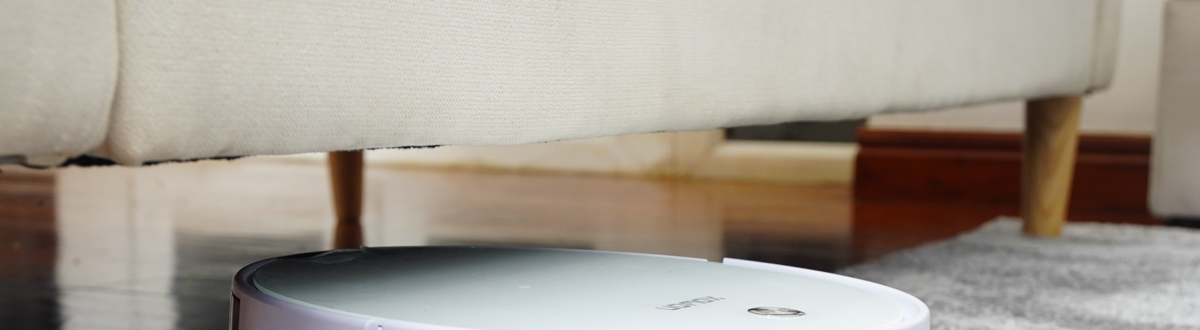
A robot or lightweight cordless vacuum
A robot vacuum runs on a schedule with no lifting involved, and a cordless upright is far lighter than an old corded one for the days it needs a proper clean.
“I cannot visit as often as I would like”
A smart TV or tablet for video calls
Most smart TVs and tablets bought in the last few years can make a video call with one button once it is set up, so a visit does not depend on a car journey.
None of this is an instruction to buy everything on the list. Most families find one or two of these answer the worry that matters most, and the rest can wait.
Voice and smart speakers
What a smart speaker can do for someone living alone
A smart speaker sits on a table and answers to a name, which suits somebody who finds a phone screen or a remote control fiddly. It will not replace a visit, but it removes some of the small daily friction that makes living alone harder than it needs to be.
Calling and being heard
Hands-free
Reminders and the radio
No screen needed
Lights and simple routines
One phrase
What changed with Alexa
Since 2025
If a parent already owns a smart speaker, using Alexa to make everyone's life easier goes through the setup in more detail, including the routines and calling lists worth building in the first afternoon.
Doors, doorbells and cameras
Seeing who is at the door, and the law on filming
A camera or a video doorbell answers a specific worry: knowing who is outside before opening the door. It also raises a question families often do not think about until afterwards, which is what the law says about filming a carer or a visitor inside the home.
Video doorbells
See before you open
Remote-controlled doors and entry systems
For limited mobility
Indoor and outdoor security cameras
Tell anyone who visits
Monitored CCTV
A record if something goes wrong
Recording inside your own property for your own household's safety is generally straightforward, but the position is less simple once a camera also covers a shared hallway, a neighbour's garden or the street, and there is more to think through once a paid carer is the one being filmed regularly. Is it illegal to film carers in your home? sets out where a family stands, and what to tell a carer before you start.
Falls, alarms and the 2027 switch-off
Personal alarms and sensor mats, and a change coming in 2027
A pendant alarm or a mat by the bed answers the worry that a fall or a bad night happens when nobody is there to see it. Most of these devices call for help down the ordinary phone line, and that line is being switched off across the UK.
Before you buy, or keep, a personal alarm
0 of 7 ticked
What each type does
What to check before January 2027
Ways to get one
Mobility and falls care covers the wider picture, from grab rails to what causes a fall in the first place, and how to deal with elderly falls is the right page if a fall has just happened and you are not sure what to do next.
Keeping track without watching everything
GPS trackers, and what they do and do not solve
A GPS tracker answers a specific worry, that your parent could get lost or wander off and not be able to say where they are. It is a narrower job than it sounds, and it works best alongside other precautions rather than instead of them.
Wearable trackers
Watch, pendant or shoe insert
Location sharing on a smartphone
No extra device
What it cannot do
Worth knowing
Ask first, where you still can
Consent matters
If wandering has become a regular worry, Alzheimer's Society's guidance for a person who walks about covers this alongside movement monitors and pressure pads, and dementia care is the fuller guide if memory rather than mobility is behind it.
Everyday helpers
The smaller changes that save time and worry
Not everything worth having is dramatic. A few ordinary changes reduce daily strain without anyone having to learn much that is new, and buying nothing is sometimes the right call too.
- 1
A robot or lightweight vacuum
Reduces liftingA robot vacuum works to a schedule with no lifting involved, which helps anyone with limited mobility or a fear of falling while cleaning. A cordless upright is the cheaper option and still far lighter than an old corded model, with a lower trip hazard too. - 2
A smart TV or tablet for video calls
Often no new device neededMost smart TVs and tablets bought in the last few years can make a video call with one button once it is set up. Doing the setup together on one visit is usually enough for your parent to manage it alone afterwards. - 3
Try before you buy, where you can
Ask firstA council's community equipment service, a Disabled Living Centre or an occupational therapist can often let you try equipment before committing, and some items are lent free after an assessment rather than bought outright. - 4
Set it up together, not for them
Sits betterTechnology chosen and set up with your parent, rather than presented as a finished decision, is more likely to still be switched on in a month. Ask what they find fiddly before buying a solution to it.
None of this replaces a person calling in. Companionship carers on PrimeCarers charge £15 to £20 an hour with our fee included, for the days when a visit does more than a screen or a sensor can. Activities to try with a companionship carer has more on what that looks like in practice.
Questions
Questions families ask about home technology
It depends on the worry that keeps coming back, but a personal alarm is usually the first thing most families choose, because it covers the most common emergency: a fall with nobody there to help. See personal alarms and the 2027 switch-off for what to check before buying one.
Only if it still relies on the old analogue phone line, which is being withdrawn across the UK by January 2027. Providers have committed to Ofcom not to move a telecare user onto a digital line unless a compatible alarm is confirmed first, so contact the provider now if you are not sure which type your parent has.
It can help you find someone faster if they wander, but no tracker works perfectly indoors or replaces supervision. Where the person can still take part in the decision, it is worth agreeing to it together rather than switching it on without saying so.
Recording inside your own home is generally straightforward, but a carer who works there regularly should be told a camera is in use. Is it illegal to film carers in your home? sets this out in full.
Start with whichever single device solves the worry that bothers them most, set it up together rather than presenting it as decided, and address what feels intrusive directly, particularly with a camera. Refusal usually softens once they have seen it solve one specific problem.
Yes, in many areas. Councils commonly fund or lend telecare, alarms and basic equipment once a care needs assessment confirms it is needed, so it is worth asking before buying privately.
No. It answers specific worries, a fall, a location, a lonely afternoon, but it does not cook a meal, help someone dress, or notice a change over a week the way a person visiting regularly does. Companionship carers on PrimeCarers charge £15 to £20 an hour with our fee included, and hourly carers from £18 to £25, both with our fee included, for the parts of the day technology cannot cover.